


<img height="1" width="1" src="https://www.facebook.com/tr?id=922328371831790&amp;ev=PageView &amp;noscript=1">
Request My Demo
Request My Demo
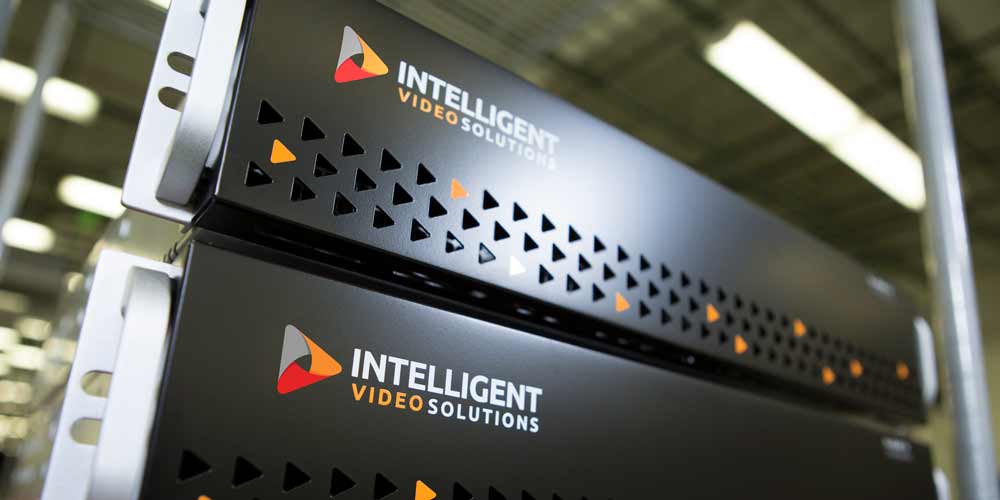
Man using tablet pc beside servers in data center
Core Architecture

Engineered for the Mission.

Ready Out of Box

Prior to leaving the manufacturing environment every component is tested, validated and burned in ensuring your VALT system is ready.

Custom Configuration

Each server is then meticulously prepared in our configuration center with VALT licensing and software to create a custom-built appliance to our clients specifications.

VALT Server 1
server -icon
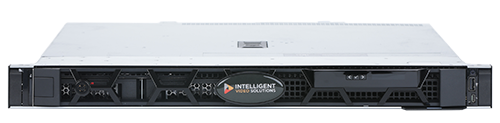
Dell-1U-preweb-500-500x123

R1A4S

The R1A4S is 1U short-depth chassis featuring an Intel Xeon E-2436 CPU, 16 GB RAM, RAID 1 SSD OS and 4 TB RAID 1 video optimized drives.

VALT Server 2
server -icon
Dell-1U-preweb-500-500x123

R1A8S

The R1A8S is 1U full-depth chassis featuring a single Xeon E-2456 CPU, 16GB RAM, RAID 1 SSD OS array and 8 TB RAID 1 video archive.
VALT Server 3
server -icon
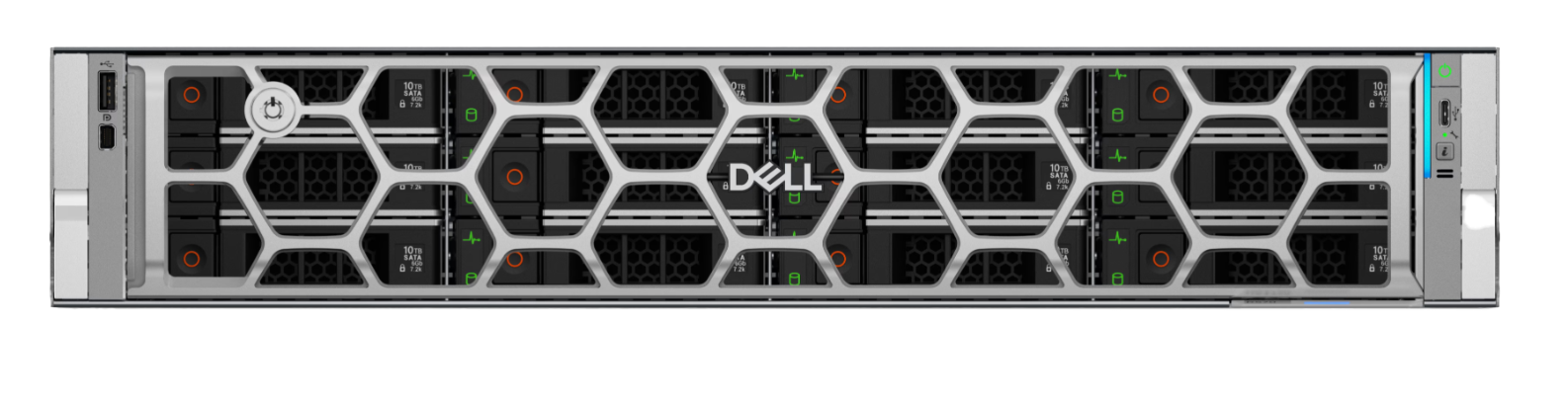
R2Z80 front

R2A80S

The R2A80S is a 2U full-depth chassis featuring a XEON 6, 6527P CPU, 128 GB RAM, 480GB RAID 1 SSD OS/Application array and 80 TB RAID 10 video archive.

VALT Server 4
server -icon
desktop-dell-pro-max-fcm2250-micro-bk-gallery-3.psd

T1A2S

The T1A2S is a micro-tower chassis featuring an INTEL Core Ultra 5 235 CPU, 16GB RAM, and 2 TB of video storage.
VALT Server 5
server -icon
Screenshot 2025-03-21 at 2.37.23 PM

T4A12S

For applications requiring a stand-alone tower, the T4A12S is a mid-tower chassis featuring a single Intel XEON 6337P CPU, 32 GB RAM, 480GB 1 OS drive and 12 TB RAID 1 video storage array.

VALT Server 6
server -icon
5A6B65A0-1C8E-4BE4-9754-2C2405B0E7B7

R1A16S

The R1A16S is a 1U full-depth chassis featuring a XEON 6 Performance 6337P CPU, 128 GB RAM, 480GB RAID 1 SSD OS/Application array and 16 TB RAID 5 video archive.

VALT Server 7
server -icon
5A6B65A0-1C8E-4BE4-9754-2C2405B0E7B7

R1A40S

The R1A40S is a 1U full-depth chassis featuring a XEON 6 Performance 6527P CPU, 128 GB RAM, 480GB RAID 1 SSD OS/Application array and 40 TB RAID 10 video archive.

VALT Server 8
server -icon
5A6B65A0-1C8E-4BE4-9754-2C2405B0E7B7

R1A16SAI-K

The R1A16SAI is an AI-enabled 1U full-depth chassis appliance featuring a XEON 6 Performance 6505P CPU, NVIDIA Tesla L4 AI Accelerator, 128 GB RAM, 480GB RAID 1 SSD OS/Application array and 16 TB RAID 5 video archive.

VALT Server 9
server -icon
5A6B65A0-1C8E-4BE4-9754-2C2405B0E7B7

R1A40SAI-K

The R1A40SAI is an AI-enabled 1U full-depth chassis appliance featuring a XEON 6 Performance 6527P CPU, NVIDIA Tesla L4 AI Accelerator, 128 GB RAM, 480GB RAID 1 SSD OS/Application array and 40 TB RAID 10 video archive.

VALT Server 10
server -icon
5A6B65A0-1C8E-4BE4-9754-2C2405B0E7B7

R2A80SAI-K

The R2A80SAI is an AI-enabled 2U full-depth chassis appliance featuring a XEON 6 Performance 6527P CPU, NVIDIA Tesla L4 AI Accelerator, 128 GB RAM, 480GB RAID 1 SSD OS/Application array and 80 TB RAID 10 video archive.


A Single Enterprise-Wide System for your Organization

Request a quote of VALT appliances for your video capture environment.

 

Request Quote

“The VALT appliance was so easy to implement that we are replicating the system for other departments”

Jared Vernon , Technology Manager, TWU

“The reliability of the VALT recording system is outstanding”

Lynn Gilman , Director CHG Counseling Services, Indiana University

“The VALT system works great, I have recommended it to other departments”

Chief Robert J. Kowalski , Sauk Village Police Department

“I really like the user interface and management tools”

Matthew Cannizzaro , Technology Services, Montclair State University

“The IVS server is more reliable than any prior system we were using”

Kaiser Permanente , Dr. Thad Woodward

“Our end users really like how fast the video export process is”

David Baker , Network Coordinator, City of St. Peters

“Their HIPAA-compliant security is very important to us”

Thao Truong , Clinic Coordinator, University of Washington
A sustainable technology infrastructure that improves institutional effectiveness

10 Reasons to Standardize onan Enterprise-wide Audio/VideoSystem

1

Lower Acquisition

The acquisition of one-off audio/video systems adds up, and not just in dollars. Procurement of each takes time and internal resources, even more so if the hardware, software, and installation services must be purchased from different vendors to create one solution. Look for a vendor who provides software, hardware, and installation services for a complete “turnkey” video recording and observation system.


Example: When nursing, allied health, physician assistant, social work, veterinary sciences, dentistry, education, business, and law programs, to name a few, all need a video recording and observation system for skills training, it’s more cost-effective to purchase one system for your entire institution than for each program to acquire their own independent of one another.

2

Fewer Annual Costs

Annual recurring service costs accumulate and are more resource-intensive when you have different vendors and expiration dates to deal with. Centralize your license agreements with one enterprise-wide system to reduce the cost of annual service and support.


Example: Standardize on one audio/video system for one renewal date, process, and payment per year rather than getting calls to renew year-round from multiple vendors and having to track down contracts, signatures,and payment.

3

Minimal Maintenance

A centralized system makes deployment and maintenance easier, which reduces the burden on your IT and network teams. Avoid systems that require software installation on individual workstations, which complicates deployment, updates, and can create latency issues.


Example: Maintain your institution’s video capture system on one software instance, even when you add new equipment, to reduce potential points of failure and streamline maintenance of the solution

4

Unified Support

Disparate systems make issues more frequent, and more difficult to diagnose and resolve due to lack of familiarity or determining which vendor supports what system to call for support. One system means one vendor to contact.


Example: When you partner with one vendor, there’s one number to call for support. You know their team and they know yours and your system, so when there isan issue it’s more rapidly diagnosed and resolved.

5

Enhanced Education

Your educators implement successful programs already, so an enterprise-wide audio/video solution must enhance their learning outcomes and not impede them with technology unsuited to their needs. Look for a vendor who offers custom software configuration for each program.


Example: A configurable software provides each program with custom templates for video indexing, annotation, andassessment, as well as room names that reflect their learning space. When a law enforcement agency uses the audio/video capture system for interview recording they see templates to document case information. When a sports medicine clinicusing the same video capture system, they see templates tocapture patient session information.

6

Improved User Experience

Enterprise-wide software configuration supports permission-based workflows for observation, recording, and video distribution that make each program’s current processes more efficient. Familiar terminology and custom workflows per program improve adoption and ease of use, which increases employee satisfaction and enduring success of an enterprise-wide system


Example: When an educator signs into the software, they see rooms they have permission to observe and video recordings from their students for playback. They only see templates specific to their courses to index videos, take notes, and evaluate student performance.

7

Custom Installation

The audio/video system hardware should also be designed specifically for each learning space. Avoid one-size-fits-all options that ignore the impact of acoustics and camera placement on user experience.


Example: For instance, a counseling program community clinic may require one camera, microphone, and start/stop button per room, whereas a mock courtroom for a law or social work program requires multiple video inputs and advanced audio to isolate or mix multiple speakers in a larger space.

8

Reduced Risk

When you standardize on one audio/video system, you offer each program on campus a validated solution, which increases successful deployment and shortens the procurement process and time to implementation.


Example: If a music therapy program implements an audio/video system for skills training and six months later the college of education wants to implement a video capture system for teacher training, it’s as easy as calling your vendor and asking for a quote to add hardware and licenses to your existing system.

9

Security Compliance

Audio/video system security is imperative to maintain your information security compliance requirements or risk loss of federal funding and reputation. It’s easier to validate and maintain security compliance in one system than multiple systems. Look for a softwarethat supports encryption of data in transmission usingthe latest encryption protocols and detailed user permissions.


Example: Detailed user permissions silo data and control access to each feature in the software by program, by user groups within a program, and by individual user. Activity for each user should be tracked in detailed audit logs that include at least username, date and time, IP address, action, and object impacted by the action.

10

User Access Control

Look for software that integrates with LDAP or SSO to manage user access to the system for your entire institution. Authentication protocols automatically add and remove users to appropriate user groups and help manage the natural progression of students within their programs.


Example: When students are enrolled in a course, they may be added to the appropriate user group(s) in your video recording system based on specified criteria.

Make buying easy with VALT

Chat with a VALT expert to find out how 770+ companies use VALT to capture, manage, stream, observe and search for audio/video content.

4.6/5 based on G2 Reviews

★ ★ ★ ★ ★